
In January 2021, I already gave a hardware recommendation for Home Assistant. A lot has changed since then: Home Assistant has become more powerful and the chip crisis has meant that the Raspberry Pi is no longer as affordable as it was back then. In this article, I’ll tell you about possible platforms for Home Assistant and their pros and cons.
UPDATE 12.09.2024: Here is another article on the topic, which also discusses the advantages of virtualisation with Proxmox Selecting a Home Assistant server: 3 expansion stages with advantages and disadvantages
Raspberry Pi and Home Assistant
The Raspi was – and to some extent still is – the favoured hardware of many Home Assistant users. It is compact, comparatively powerful, requires little power and was cheap to buy.
During the chip crisis, prices for the popular single-board computer rose to absurd heights. A Raspberry Pi 4 with 4 GB RAM sometimes cost just under €200, if it was available at all. In the meantime, prices for the Raspi 4 with 4 GB RAM have levelled off at around €65, which is slightly higher than before the chip crisis.
The new Raspberry Pi 5 has also been available for a few weeks now. The 4 GB model costs around €85 and the version with 8 GB RAM around €95.
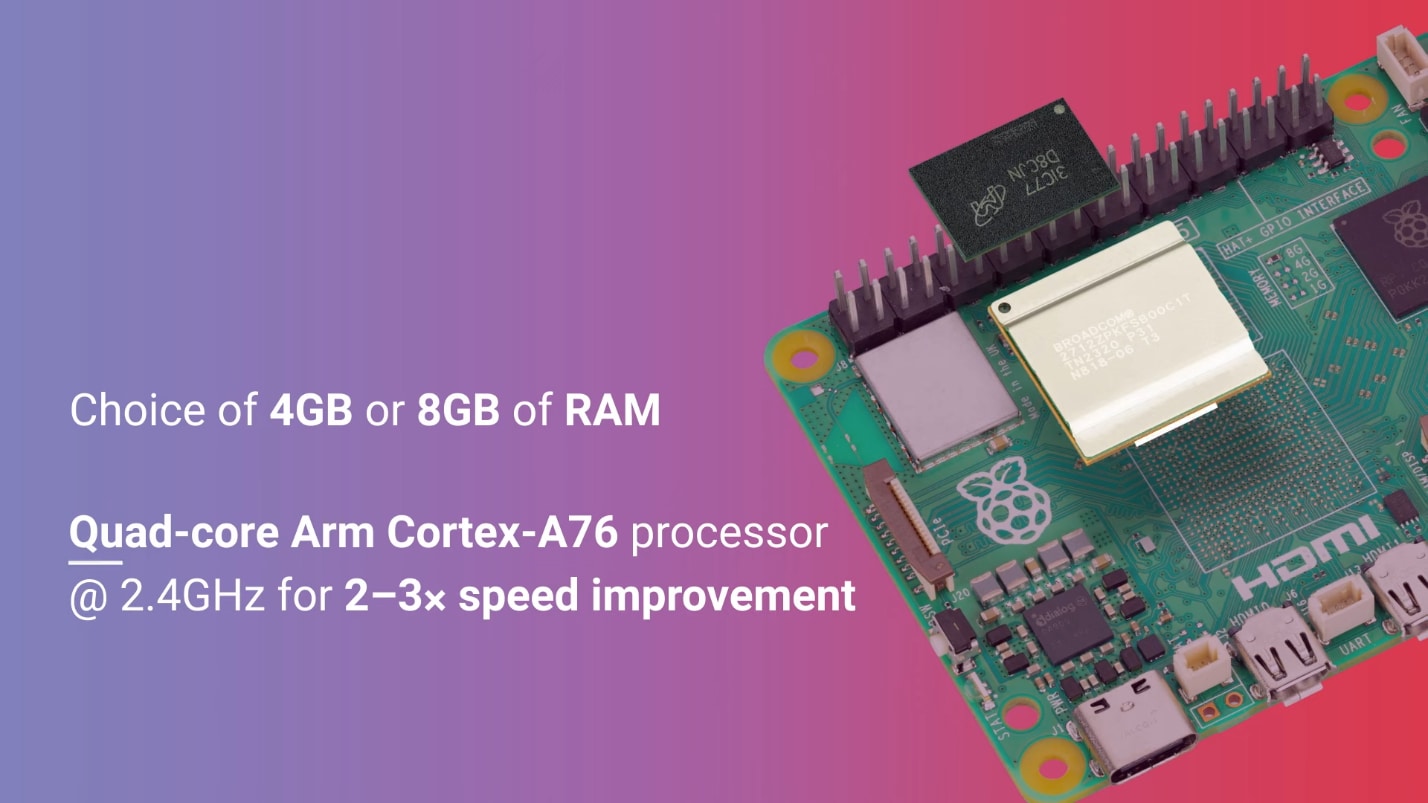
The interesting thing about the Raspberry Pi 5 is that it is not only more powerful than its predecessor, but also that it is now equipped with a PCI express interface, which allows the direct use of NVMe (M.2) SSDs. This requires a suitable shield, which costs an additional €20, and of course a corresponding M.2 SSD
The advantage of this solution is that it runs much faster and more stable than a micro SD card, which was often used as an installation target for the Raspberry 3 and 4. SSDs could also be used here. However, these were connected via USB3.0 and some configuration work was required to ensure that the system could also boot from the SSD.
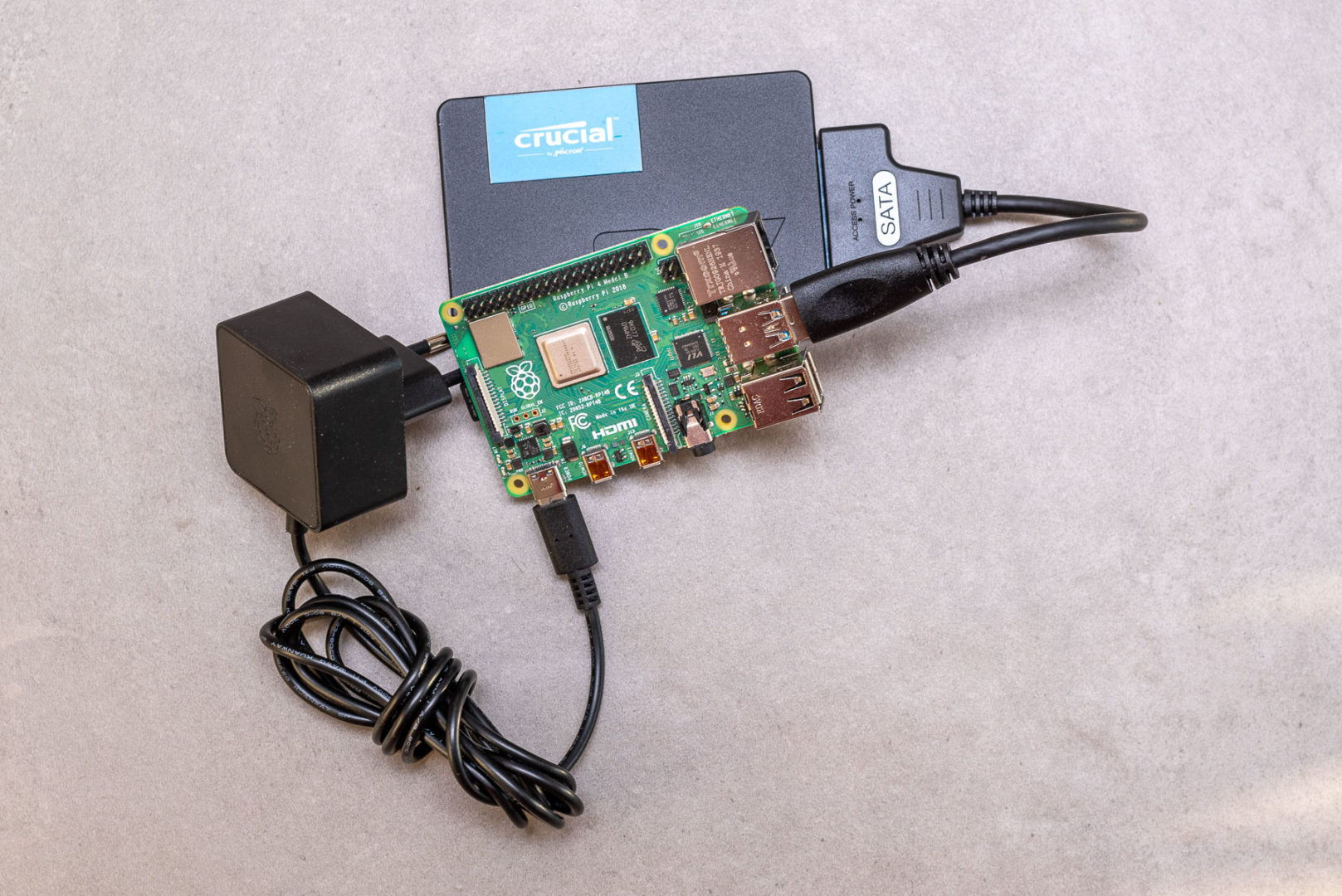
From today’s perspective, I would no longer rely on the USB3 SATA adapter and a Raspi 4, unless you still have one lying around and absolutely want to use it.

- Quad-Core-ARMA76-Prozessor (64-Bit – 2,4 GHz) °Integrierte VideoCore VII 800 MHz GPU °2- bis 3-mal mehr Leistung als Version 4
- Deutlich verbesserte Grafikwiedergabe ° Hochgeschwindigkeits-Micro-SD ° 2x 4K-60 fps gleichzeitig anzeigen
- 2x USB 3.0 5GBps ° 2x 4-Wege-MIPI-DSI/CSI-Anschlüsse

- Eingang: 100 – 240V AC
- Ausgang: 5,1V, 5A; 9V, 3A; 12V, 2,25A; 15V, 1,8A (Power Delivery)
- Anschluss: USB-C

- N04 M.2 NVMe to PCIe Adapter is designed for the latest Raspberry Pi 5. It supports the installation of NVMe (M-key) drives in M.2 format sizes 2230, 2242, 2260 and 2280. Extra custom CNC SSD mount screw, no soldering required.
- PCIe x1 interface in both Gen2 & Gen3 standards. The short trace routing of PCIe is more reliable and faster, fully meeting the signal requirements of PCIe 3.0.
- Ventilation hole design provides excellent ventilation airflow for cooling; Integrated voltage regulator delivering up to 3A for the 3.3V power rail, compliant with M.2 (NGFF) standard.

- Kapazität: 256GB
- Sequenzielle Lesegeschwindigkeit (CDM): bis zu 1700 MB/s; Sequenzielle Schreibgeschwindigkeit (CDM): bis zu 1100 MB/s
- PCIe Gen3-controller

- Erweiterbarkeit und Zugänglichkeit: reichlich Platz im Gehäuse ermöglicht Addon-Boards, offizielle Raspberry Pi 5-Kühlkörper, während Zugang für ein 40-poliges GPIO-Kabel an der Seite verfügbar ist.
- Robuste Konstruktion: Hergestellt aus sandgestrahltem, schwarz eloxiertem Aluminium, bietet sowohl Haltbarkeit als auch eine ästhetische Attraktivität.
- Montagemöglichkeiten: Mit zwei Schlüssellöchern an der Unterseite für die Wandmontage, bietet vielseitige Installationsmöglichkeiten für verschiedene Einrichtungen und Räume. Dieses Gehäuse ist auch kompatibel mit dem KKSB DIN-Schienenclip (nicht im Lieferumfang enthalten).
If you add up the costs for the Raspi 5, the SSD shield, SSD (250 GB is more than enough), power supply unit, housing, etc., you end up with around €180 for the entire system. That’s no mean feat for a relatively limited performance.
That’s why I’ve been recommending the next option for a long time:
Home Assistant on cheap, used PC hardware
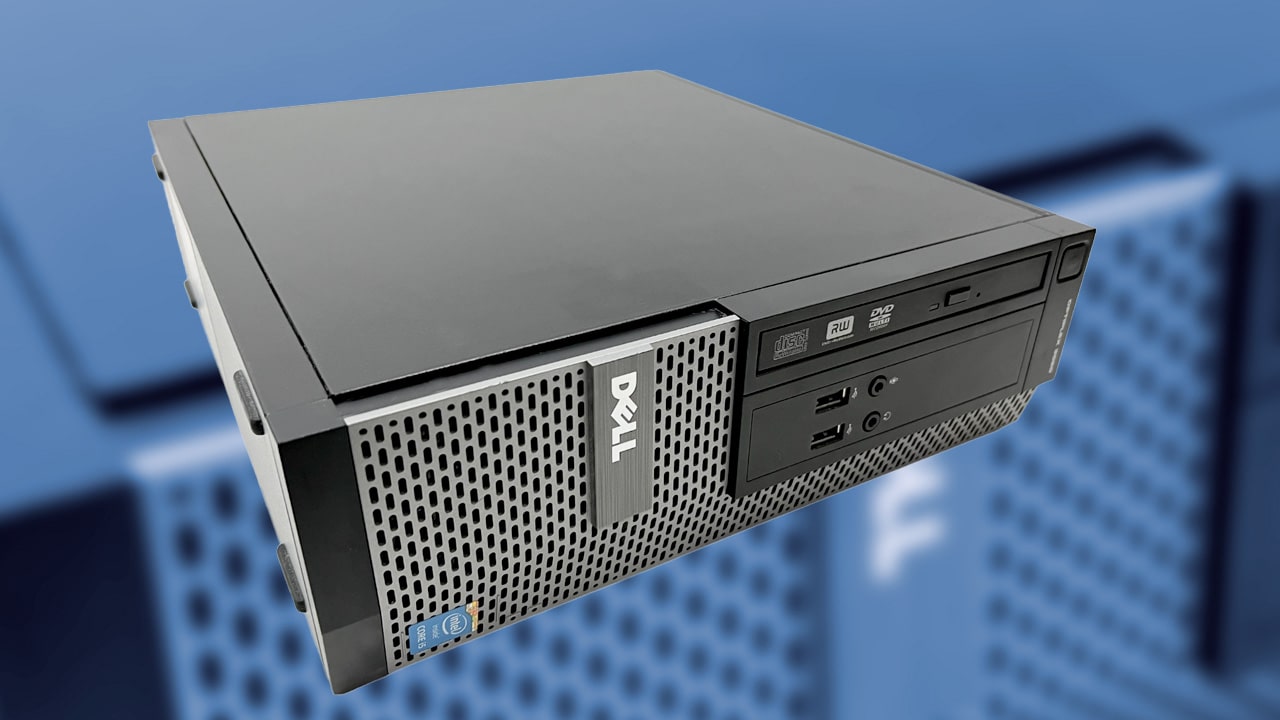
Cheap refurbished mini PCs are available on every corner these days. These compact computers also have a very low power consumption, but are usually more powerful than even a Raspberry Pi 5. What’s more, you have everything ready to go in a well-cooled compact housing.
Such a mini PC with an older Intel i5 CPU, 8 GB RAM and 250 GB SSD is often available for less than €100. Models with an i7 CPU and 16 GB RAM are available from around €240.

- Core i5 Prozessor der 6. Generation, zuverlässig und leistungsstark
- 256 GB Festplatte, 16 GB RAM
- Generalüberholtes gebrauchtes Gerät, Refurbished, Renewed, getestet und sauber, technisch einwandfrei, guter optischer Zustand

- 🎄[𝗜𝗻𝘁𝗲𝗹 𝗖𝗼𝗿𝗲 𝗶𝟱-𝟭𝟮𝟰𝟱𝟬𝗛] Der GEEKOM IT12 Mini-PC ist mit einem leistungsstarken Intel Core i5-12450H Prozessor der 12. Generation ausgestattet, mit 8 Kernen, 12 Threads und einer maximalen Turbo-Taktfrequenz von bis zu 4,4 GHz. Die integrierte Intel UHD Graphics sorgt für eine zuverlässige Bildausgabe und unterstützt 8K-Displays. Diese Konfiguration ist ideal für effiziente Büroarbeit, flüssiges Multitasking, Home-Entertainment und anspruchsvollere Alltagsanwendungen. 𝙀𝙘𝙝𝙩𝙚 𝙋𝙧𝙤𝙙𝙪𝙠𝙩𝙚 𝙨𝙞𝙘𝙝𝙚𝙧: 𝙉𝙪𝙧 𝙗𝙚𝙞 𝘼𝙢𝙖𝙯𝙤𝙣 & 𝙂𝙀𝙀𝙆𝙊𝙈 𝙊𝙛𝙛𝙞𝙯𝙞𝙚𝙡𝙡𝙚𝙧 𝙒𝙚𝙗𝙨𝙞𝙩𝙚 | 𝙑𝙚𝙧𝙢𝙚𝙞𝙙𝙚𝙣 𝙎𝙞𝙚 𝙁ä𝙡𝙨𝙘𝙝𝙪𝙣𝙜𝙚𝙣.
- 🎄[𝗚𝗿𝗼ß𝗲𝗿 𝗔𝗿𝗯𝗲𝗶𝘁𝘀𝘀𝗽𝗲𝗶𝗰𝗵𝗲𝗿 𝘂𝗻𝗱 𝗳𝗹𝗲𝘅𝗶𝗯𝗹𝗲 𝗘𝗿𝘄𝗲𝗶𝘁𝗲𝗿𝘂𝗻𝗴] Der GEEKOM Mini PC IT12 ist mit 16 GB DDR4 Dual-Channel-RAM und einer 512 GB M.2 2280 NVMe PCIe Gen4 SSD ausgestattet – für schnelles Hochfahren und flüssiges Arbeiten. Der Arbeitsspeicher ist auf bis zu 96 GB erweiterbar, die SSD kann auf bis zu 4 TB aufgerüstet werden – ideal für Multitasking, große Datenmengen und zukunftssichere Leistung. 𝑾𝒊𝒓 𝒃𝒊𝒆𝒕𝒆𝒏 𝒎𝒂ß𝒈𝒆𝒔𝒄𝒉𝒏𝒆𝒊𝒅𝒆𝒓𝒕𝒆 𝑳ö𝒔𝒖𝒏𝒈𝒆𝒏 𝒖𝒏𝒅 𝑴𝒆𝒏𝒈𝒆𝒏𝒓𝒂𝒃𝒂𝒕𝒕𝒆 𝒇ü𝒓 𝑼𝒏𝒕𝒆𝒓𝒏𝒆𝒉𝒎𝒆𝒏𝒔𝒌ä𝒖𝒇𝒆. 𝑲𝒐𝒏𝒕𝒂𝒌𝒕𝒊𝒆𝒓𝒆𝒏 𝑺𝒊𝒆 𝒖𝒏𝒔 𝒇ü𝒓 𝒘𝒆𝒊𝒕𝒆𝒓𝒆 𝑰𝒏𝒇𝒐𝒓𝒎𝒂𝒕𝒊𝒐𝒏𝒆𝒏.
- 🎄[𝗛𝗶𝗴𝗵𝘀𝗽𝗲𝗲𝗱-𝗪𝗶𝗿𝗲𝗹𝗲𝘀𝘀-𝗩𝗲𝗿𝗯𝗶𝗻𝗱𝘂𝗻𝗴] Der GEEKOM IT12 mini-pc unterstützt modernstes Wi-Fi 6E und ist mit einer 3D-Antennentechnologie ausgestattet, die für eine stärkere Signalabdeckung, bessere Durchdringung und stabilere Verbindungen sorgt. Der integrierte Intel-Bluetooth-5.2-Chip im Micro-PC bietet schnelle Verbindungen und hohe Kompatibilität.

- Hinweis: Wiederaufbereitetes Lenovo ThinkCentre Marken-Gerät im quasi Neuzustand (RAM und SSD wurden von uns getauscht und sind NAGELNEU!), teilweise leichte Kratzer, teilweise auch gar keine Kratzer.
- Lenovo Mini PC, nur 18cmx18cmx3.5 cm! Superklein und handlich. Anschlüsse: HDMI, Displayport, 4x USB 3.0, 2x USB 2.0, 1x Gigabit LAN, 1x WLAN. Das Gerät ist mit einem superschnellen IntelCore i5 7400T Prozessor sowie schnellen 8 GB DDR4 Markenarbeitsspeicher ausgestattet, die mehr als genug Leistung für rechenintensive Anwendungen, Multitasking und Multimedia bereitstellen.
- Die große 128 GB NVME SSD ist ideal um all ihre Daten zu speichern.

- Betriebssystem Windows 11 Professional bereits installiert und lizenziert, sofort einsatzbereit!
- Prozessor Intel Core i7-6700T 4 Core und 4 Threads Turbo Boost bis zu 3,60 GHz
- Installierter RAM-Speicher 8 GB DDR4 – Maximaler RAM-Speicher 32 GB – SSD 240 GB
These computers have a sufficient number of USB ports and are an ideal basis for Home Assistant if, for example, you also want to integrate surveillance cameras via Frigate etc., which requires a lot of computing power.
If you want, you can also install virtualisation such as Proxmox on it and run several applications such as NAS, media servers etc. separately from each other – alongside Home Assistant.
I think this is the most suitable solution if you don’t have a Raspi to spare and want a powerful and stable system for Home Assistant. With external USB3 hard drives, you can also set up a small NAS or a backup server for the other devices in the house.
When buying, I’d also go for a tested, refurbished PC. I’ve been keeping an eye on the offers in the classified ads and it’s hardly worth buying from private sellers.
Inexpensive or disused notebooks are also interesting. Here you have two further advantages:
- The display, keyboard and touchpad are part of the hardware and therefore offer quick access to the console in an emergency.
- The battery practically gives you an in-built UPS that can also bridge longer power outages. When the display is switched off, notebooks are also often very energy efficient
Home Assistant on affordable new PC hardware
For a long time, the Intel NUC was the choice for Home Assistant on compact, energy-saving PC hardware. Intel has sold the series to ASUS. There are still remaining stocks of Intel NUCs, which nevertheless start at €260 and end at well over €600, with manageable performance.
In the meantime, there is also a large selection of Mini PCs based on Intel Alder Lake N100 CPUs for around €200. Powerful mini PCs with AMD Ryzen CPU and 16 GB RAM can often be found on offer here at similar prices.

- 1.【DreamQuest Mini PC】DreamQuest Mini PC i unterstützt den Ersatz von Linux, Ubuntu, PXE und anderen Betriebssystemen. Die Spielbarkeit ist sehr gut. Darüber hinaus können Sie im BIOS die…
- 【Intel Alder Lake N95 der 12. Generation】Neuester Intel Alder Lake N95-Prozessor der 12. Generation (bis zu 3,4 GHz) Im Vergleich zu Intel (N100/N5105/N5100/N5095) ist die CPU-Leistung des N95 um…

- 12th Gen Ιntel Alder Lake Ν95 Leistungsstärkerer Prozessor: NiPoGi Mini PCs sind mit dem neuesten Ιntel Alder Lake Ν95-Prozessor der 12. Generation (bis zu 3,4GHz, 4C/4T, 6MB Cache) ausgestattet…
- 8GB DDR4&256GB SSD: Der NiPoGi AK1PLUS Mini PC ist mit 8GB 1XSO-DIMM DDR4 RAM und 256 GB M.2 SSD (max 2TB) ausgestattet, Sie können auch eine 2,5” SATA SSD/HDD hinzufügen (nicht enthalten). Kommt…

- Intel N100 Performance für Alltag & Business: Ausgestattet mit dem Intel Alder Lake-N100 Prozessor (bis 3,4 GHz) bietet dieser Mini-PC eine spürbar höhere Leistung im Vergleich zu älteren Modellen…
- 16GB RAM & 512GB SSD – Schnell, flexibel, erweiterbar: Mit 16GB DDR4 RAM und einer schnellen 512GB PCIe SSD genießen Sie flüssiges Multitasking ohne Verzögerungen. Die SSD ist auf bis zu 2TB…

- 【12. Generation Ιntel Alder Lake Prozessor】Der NiPoGi E1 mini pc ist mit Ιntel Alder Lake Ν95-Prozessor der 12. Generation (max 3,4 GHz, 4C/4T, 6 MB L3-Cache) mit 15 W ausgestattet. Der Ν95…
- 【Erweiterbarer Speicher】Der Mini-PC ist mit 8GB SO-DIMM DDR4 für schnelleres Multitasking und einen reibungslosen Anwendungswechsel ausgestattet. Die 256GB M.2 SSD sorgt für schnelle…

- 【Kraftvolle und zuverlässige Rechenleistung】Ausgestattet mit dem leistungsstarken AMD Ryzen Embedded R2544 Prozessor (4 Kerne, 8 Threads, bis zu 3,7 GHz) . Mit 4 MB L3-Cache liefert er eine…
- 【Flexible Erweiterung: Dual-Speicher & Dual-Festplatten】Dieser Mini PC ist mit 8 GB DDR4-RAM und einer 256 GB M.2 SSD ausgestattet. Dank des Dual-SO-DIMM-Designs kann der Arbeitsspeicher auf bis…
I would also prefer this hardware to a Raspberry Pi.
The Mac Mini
The Mac Minis with Apple Silicon CPUs are compact, very economical and surprisingly powerful. Now, it doesn’t necessarily make sense to buy a Mac Mini specifically for Home Assistant, as even refurbished models still cost at least €400.
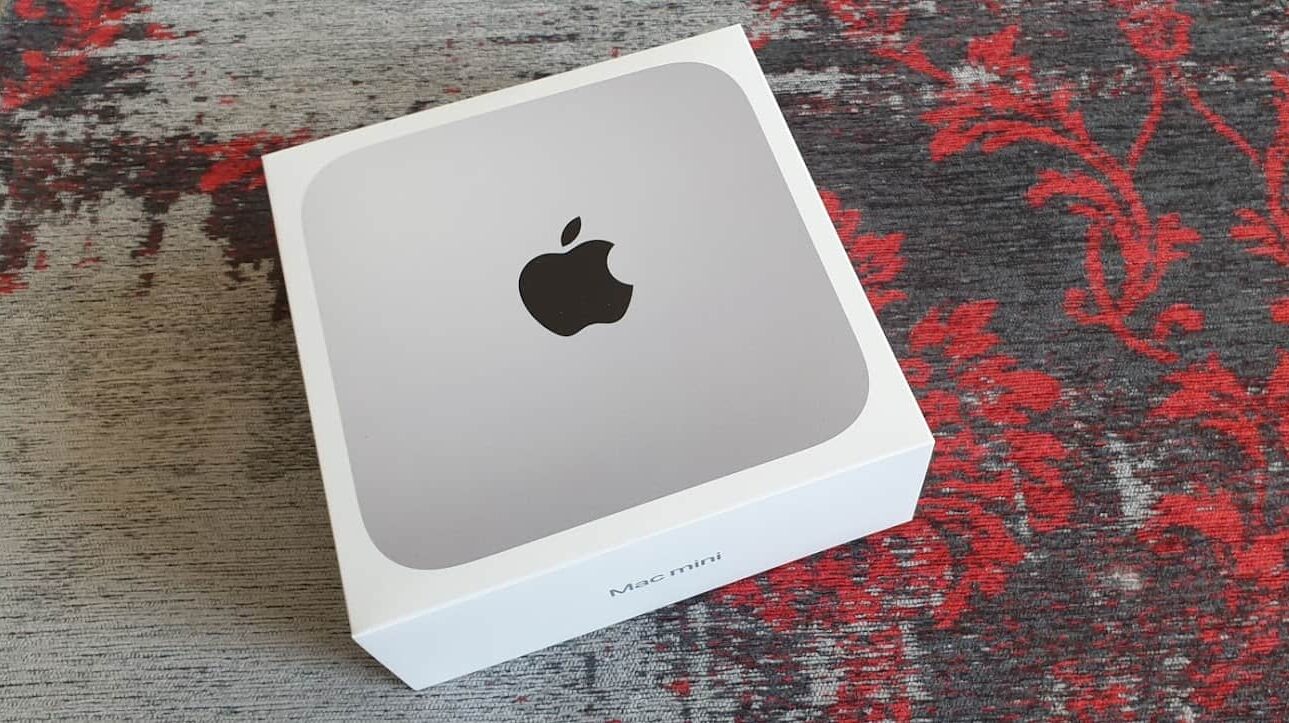
But perhaps you would like to swap your old Mac Mini for a current M3 model? Then the Mac Mini M1 or M2 can still provide good and economical service as a home assistant platform for a long time to come.
NAS and servers
Many NAS systems today are so powerful that you can install and run applications on them in Docker environments or even as virtual machines.
If you already have a suitable NAS system with the appropriate CPU and RAM, you can also install Home Assistant on it. However, these systems are comparatively expensive and the storage and distribution of data should be the primary application.
In any case, you should install Home Assistant Core and the add-ons as individual Docker containers or – if the NAS is powerful enough – as a virtual machine.
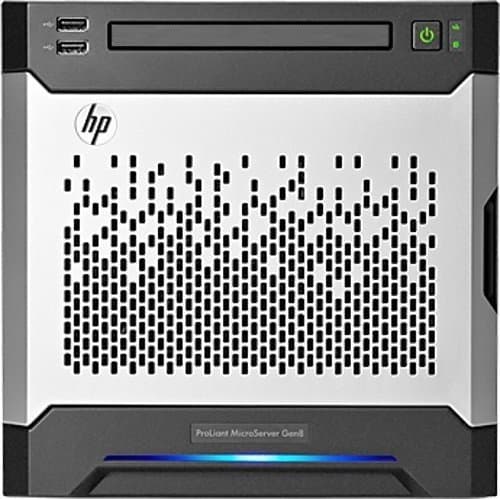
I run Home Assistant as a virtual machine on an HP ProLiant Microserver Gen 8 with Intel E1230 V3 Xeon CPU, 16 GB RAM and 4 disks plus SSD for the system. These micro servers were ridiculously cheap a few years ago and the performance is still more than adequate today.
Tip: Security with a cold server
I also use a refurbished mini PC from Dell (older i5 CPU, 8 GB RAM, 256 GB SSD) as a so-called cold server. This is connected to power and network, but switched off.
It runs the same Proxmox environment as the (running) productive server. Every few weeks, the cold server – including the Home Assistant – receives an up-to-date backup. If the main server goes down, I can start the cold server within a very short time and have all services available again. The only thing I have to do is reconnect the ZigBee dongle and import the latest HA backup, which I store daily on a Microsoft OneDrive.
Of course, this also works without Proxmox. Simply equip another device with a Home Assistant installation and import the backup of the main system in the event of a failure.
Home Assistant Blue, Yellow and Green
The Home Assistant makers themselves have brought out a series of mini-computers that have been tailored directly to HA. It started with the Blue, complete with a stylish aluminium housing, which was based on an Odroid computer.
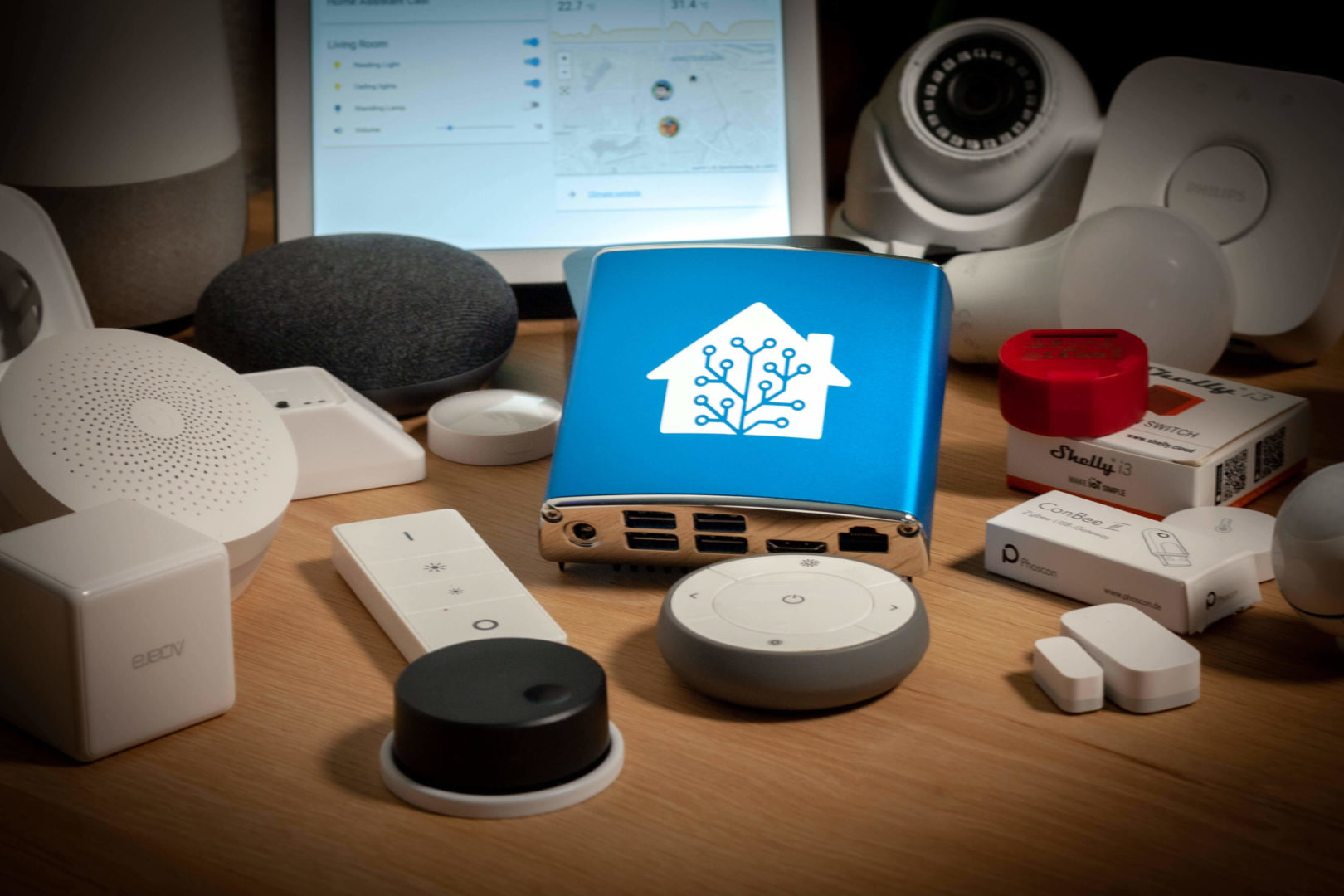
Then came the Yellow, with the Raspberry 4 compute module, built-in ZigBee and M.2 slot. However, the Rapi module was not available for a long time due to the chip crisis and the Yellow was therefore not an alternative. The Home Assistant Green is now also available.
The Home Assistant Green comes with built-in ZigBee, Thread and Matter support, costs $99, but is less powerful than its predecessors.
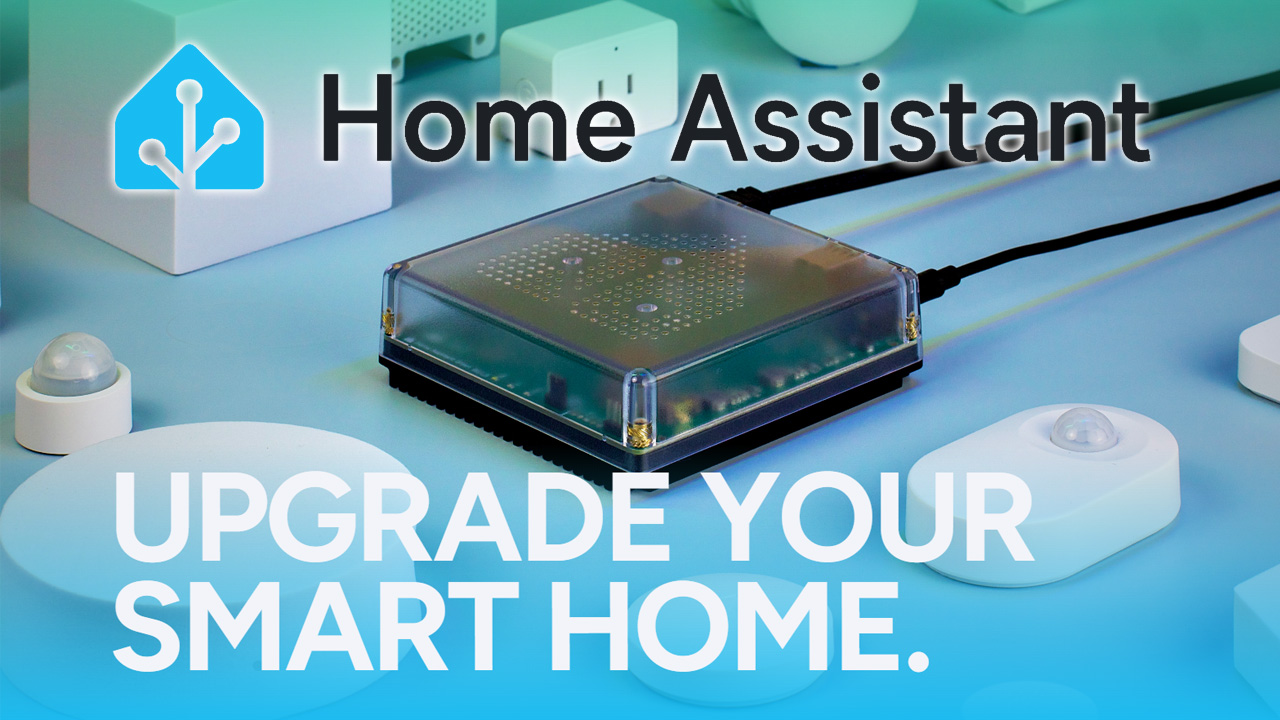
All were and are plug-and-play solutions with preconfigured Home Assistant. So all you need is power and a network and you can get started with Home Assistant.
Whether there is a real advantage to buying a preconfigured system for Home Assistant remains to be seen: The real complexity of HA is not the installation, but the configuration and maintenance.
Power consumption and costs of a Home Assistant system
The Home Assistant server usually runs around the clock, 365 days a year. That is why power consumption – especially in times of rising electricity prices – is an argument that should not be underestimated.
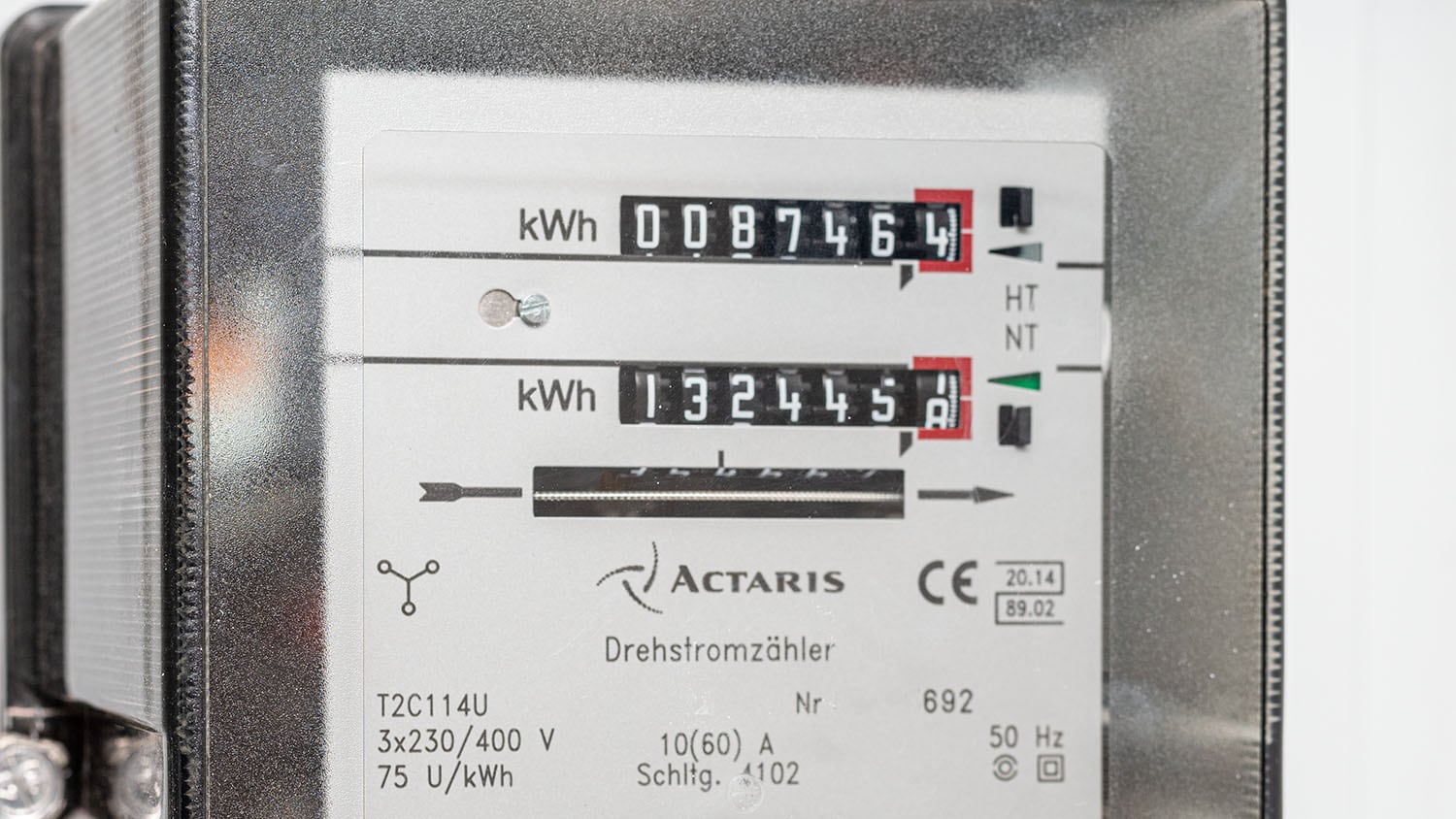
A Raspberry Pi 5 with NVMe and ZigBee stick can be assumed to consume around 5 watts. However, this is always very dependent on which other add-ons are installed.
5 watts * 24h * 365 days = 0.005 * 24 * 365 = 45.8 kWh
If we assume an electricity price of €0.30 per kWh, we arrive at €13.40 electricity consumption per year.
A modern mini PC draws about 10 watts from the mains and therefore costs €27 per year.
Although the Raspberry Pi5 consumes less power than an inexpensive mini PC, its lower acquisition costs relativise the higher power consumption compared to the Raspi over the years.
NAS systems and servers with several hard drives often require 30 or 50 watts (depending on how well the spin-down of the hard drives works) and then cost €100 per year or more.
Avoid power failures with a UPS
A sudden power failure shuts down the system hard. This is often accompanied by data loss or corrupt file systems. Especially with an application like Home Assistant, you want to avoid such failures. Therefore, every Home Assistant installation should also include an uninterruptible power supply.
Depending on the hardware used, connected devices and their power consumption, as well as the desired bridging time, you should also select the power of the UPS.

- 650 VA400 Watt
- 4x Schuko Ausgänge: 3x ÃœberspannungsschutzBatteriebackup, 1x nur Ãœberspannungsschutz, Schutz der Telefon-Fax-Modem-Netzwerkleitung 10100 (RJ45)
- Display, USB Schnittstelle, inkl. USB-Kabel und Software
- 850 VA / 510 Watt
- 4x Schuko Ausgänge: 3x Überspannungsschutz Plus Batteriebackup, 1x nur Überspannungsschutz, Schutz der Telefon-/Fax-/Modem-/Netzwerkleitung 10/100 (RJ45)
- Display, USB Schnittstelle, inkl. USB-Kabel und Software
- TYP: Wandbefestigungssatz
- Rack-Montage-Bausatz : Nein
- Zubehörtyp : Montageplatte


- hochwertiges Produkt
- Eaton
- UNINTERRUPTIBLE POWER SUPPLY

- 3S 850 VA / 510 watt
- 8x DIN Ausgänge: 4x USV gestützt und 4x mit Filterfunktion
- USB Schnittstelle, inkl. Kabel und Software
For a Raspberry Pi with SSD, even the smallest variants with 450 VA are sufficient. A power bank can also be used as a UPS for the Raspberry, provided it can supply 3A current.
If you have a UPS with a USB interface, you can also shut down the system automatically when the UPS runs out of charge. With Home Assistant, this is very easy with the NUT integration. If the power failure lasts longer than the UPS can bridge, the system is shut down cleanly beforehand.
These are my tips for a powerful and affordable hardware basis for Home Assistant and other services.
What is your Home Assistant installation running on and why? Write it in the comments!
Letzte Aktualisierung am 2026-06-11 / Affiliate Links / Bilder von der Amazon Product Advertising API
Leave a Reply