

The pitfalls of customisability
Obsidian’s greatest strength – its almost endless customisability – often turns out to be its greatest weakness. Users can easily get lost in a maelstrom of endless optimisations. Every minute spent fine-tuning plugins and system settings is a minute not spent on actual productive work or great ideas.
In Obsidian’s official subreddit, you can read repeatedly how to organise what in Obsidian, and many spend more time making their notes and journals look extra pretty or finding the optimal structure than Obsidian saves in time.
Spoilt for choice
The plethora of options in Obsidian often leads to a paradox of choice or overchoice and Obsidian is the Subway of Personal Knowledge Management Systems (PKM or PKMS). I don’t go to Subway because the thousand questions about bread, toppings, sauce, cookies, etc. just annoy me. When I go to a restaurant like that, I want to eat – quickly and easily and not take a multi-choice test.
Instead of working efficiently, users spend precious time trying to find the perfect configuration (which can’t exist anyway). This oversupply can lead to stress and dissatisfaction instead of delivering the promised increase in productivity.
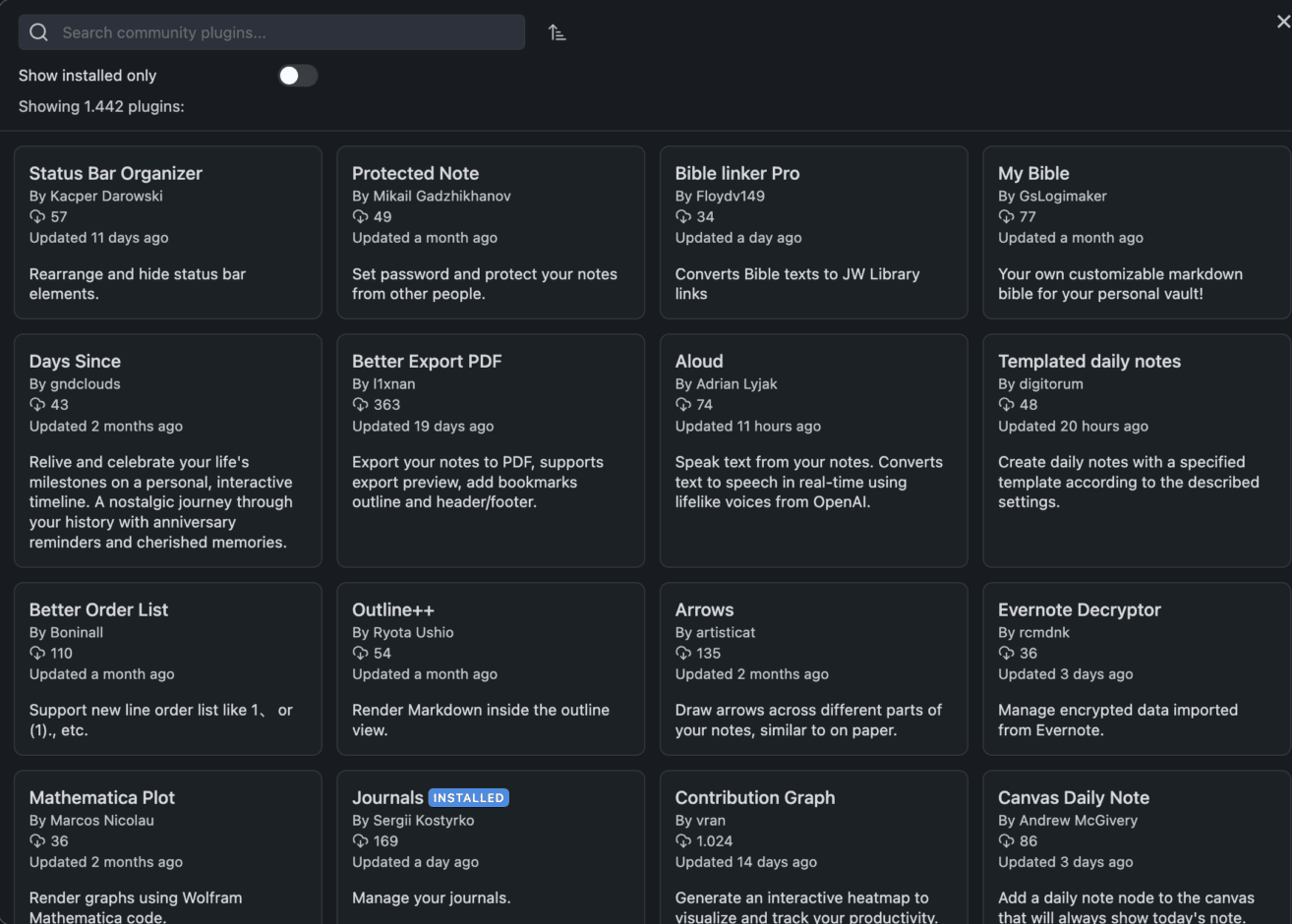
Even if you’ve found your perfect setup, you’re not out of the woods. Updates can render plugins unusable, critical functions can suddenly no longer be supported. For busy brain workers, this can be a real disaster.
Ultimately, it’s all about quickly capturing and retrieving thoughts, interesting facts and – careful, stupid word: things worth saving as easily as possible. Templates for a daily journal, i.e. content with the same structure every time, are certainly useful, but not a template for every piece of crap just because it looks pretty and consistent. Simple notes are simple text – without great header graphics, lots of icons and emojis. If you’re a developer, you want code snippets to be displayed neatly, and that’s it. Copy and paste. Held tight. Done! Get shit done!
Ultimately, it’s about quickly capturing and retrieving thoughts, interesting facts and – careful, stupid word: things worth saving as easily as possible.
A proper PKM has a search function that finds content quickly and a few tags provide additional structure.

However, I often get the impression with Obsidian and Notion that it is used like a poetry album, which is supposed to look particularly beautiful and impressive. The graph view is often proudly shared in forums and often looks as if the James Webb telescope has photographed several galaxies with myriads of stars. It is no longer about the PKMS as a helpful tool, but about the tool itself. The self-optimisation mania of Gen-Z does the rest. If nothing productive has been done, at least Obsidian has been improved and made a little more complex.
Especially when it comes to journaling, i.e. recording the day’s activities, thoughts and experiences – in other words, keeping a diary – bizarre things happen. I also record what I have started or make notes about conversations etc. But when I see that every series episode, every film, every book etc. is written down with content and opinion, I’m out. However, I’m also out when it comes to “mindfulness”. You have to be so mindful these days that it becomes a stress factor again. You can also just do nothing – without being mindful at all. And you don’t have to write something in your journal every day. If there was nothing, there was nothing. A PKMS should help and support. It should not create additional work and should never get in the way.
What is really“worth keeping“?
I’ve fallen into this trap since I started using Evernote in 2010. Bookmarks, any temporary notes that were superfluous hours or just a few days later anyway, PDFs, invoices, etc. all went into Evernote. – everything flowed into Evernote. The result was a jumble of content. In the course of my tests and switching between different PKMS, I sorted out this content before importing it into a new system.
Out of almost 1 GB of export data from Evernote, 80 MB (including attachments such as images) of really still relevant information remained. The rest was outdated or no longer relevant for other reasons.
A PKMS should help and support. It should not create additional work and should never get in the way.
Defining MDH for notes
I have therefore decided to introduce a kind of best-before date for my notes. I use this to define a time period that I specify when creating a note and that tells me how long I want to keep a note.

I have realised this using a few easy-to-understand tags:
keep-1w, keep-1m, keep-3m, keep-6, keep-1y, keep-5y and finally keep
Temporary notes are kept for one week (keep-1w). Important things, e.g. 1 year (keep-1y) and if a note has the tag keep, it is always kept, which is useful for journal entries, for example.
Each PKMS can search for tags. A search for keep-1w brings up notes with a short lifespan, which can then be quickly and easily deleted, transferred to a new note or given a new MDH. This keeps your PKM lean and organised.
Don’t create a separate note for every piece of rubbish
This is another realization from many years of personal knowledge management. It is far too cumbersome and therefore time-consuming to create a separate note with a title, tags or folder for every thought of the day or week. I simply use a kind of digital “scratchpad” here. A large note pinned to the top where I can quickly copy and write everything. Completely unformatted and at best with a timestamp for each topic and entry. This note also opens automatically when I open my PKMS.

At the end of the day, week, etc., I go through the content and can usually simply delete more than half of it. The rest is moved to my own notes. That’s it!
I simply use a kind of digital “scratchpad” here.
Collect loosely in a note. Sort when the opportunity arises. Delete generously.
Horses for Courses – the right system for the task at hand
With Evernote, due to a lack of alternatives, everything was in Evernote. Bookmarks, PDFs, scans, etc. It was more of a document management app than a note-taking app. The reason for this was also the excellent text recognition in scans and images, as well as the full-text search in PDFs. Obsidian and other PKMS can also do this to some extent (via plugins), but for the most part not really well. That’s why I separated the applications a long time ago.

It’s simply problematic if you want to force functions into a system for which it wasn’t actually made and intended. As the saying goes:
“If your only tool is a hammer, the whole world looks like a nail.”
Metalworkers build everything out of metal, even though wood would often make more sense – and vice versa. This can be seen in almost all areas and especially in software.
Document management with Paperless NGX
Invoices, contracts, scans etc. go directly into Paperless NGX, as it runs as a Docker container on my home server. It is the perfect and free solution for efficient document management. PDFs in mail, such as invoices, are automatically forwarded to Paperless by rule and processed. Paper documents are sent to the Epson ES-580W scanner, which sits next to me on my desk. This also scans the content directly to Paperless.
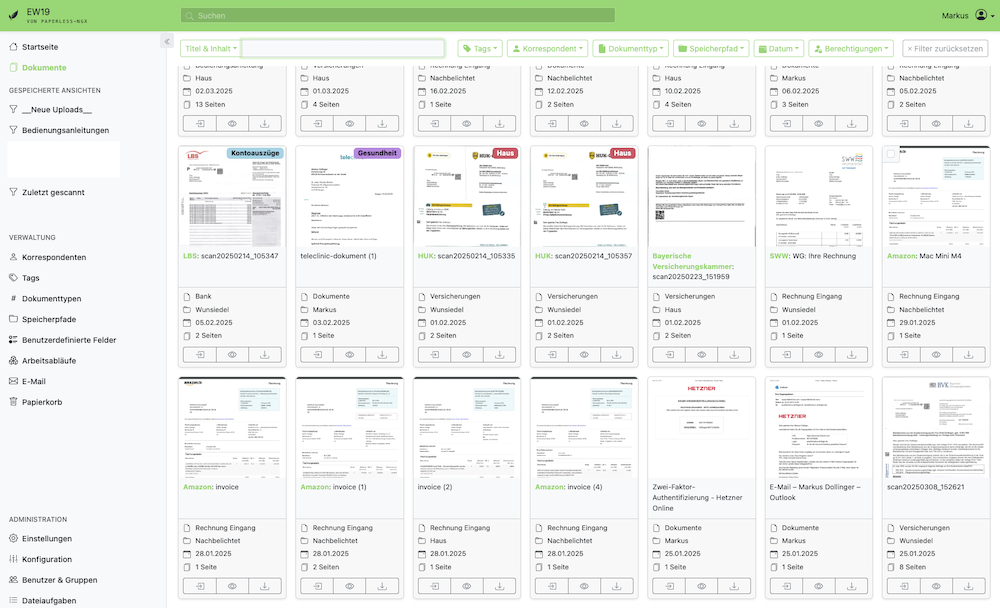
Paperless learns to categorize and sort the content automatically over time. The text recognition is excellent, and the full-text search has never let me down. Backups of the database and content are made every night (encrypted) to a Hetzner storage box.
Bookmarks with Readeck
Many external services that I used for a long time now run on my home server. The reason for this is not only the increasing enshittification, but also the fact that I want to be in control of my data again. Evernote has shown how difficult applications with a lock-in effect are. As long as you stick with it, everything is fine – but woe betide you if you want to switch to another application.
A disappointing example of this was the bookmark service Omnivore. A perfect free application, beautifully designed and great in terms of operation and functionality – the ideal alternative to Pocket. Then the Omnivore makers announced that the service would be shutting down for good in two weeks.
In my search for a self-hosted alternative, I went from Wallabag to Hoarder (too unstable and complex) to Readeck. Readeck offered an Omnivore importer and so the bookmarks are now on my own server.

I also use my MDH system with keep-1w etc. for the bookmarks because nothing is more pointless than thousands of bookmarks whose destination no longer exists after a while.
In my opinion, bookmarks do not belong in a PKMS. Apparently, Omnivore is being further developed and is available as a self-hosting solution.
Joplin as a better alternative to Obsidian
I made a few attempts with Joplin. However, the endless possibilities and options of Obsidian were too tempting. In contrast, Joplin offers a more balanced solution:
Simplicity and reliability: Joplin comes with an extensive feature set out-of-the-box, without the need to get lost in endless customizations. A few plugins are enough to cover the essential functionality of Obsidian.
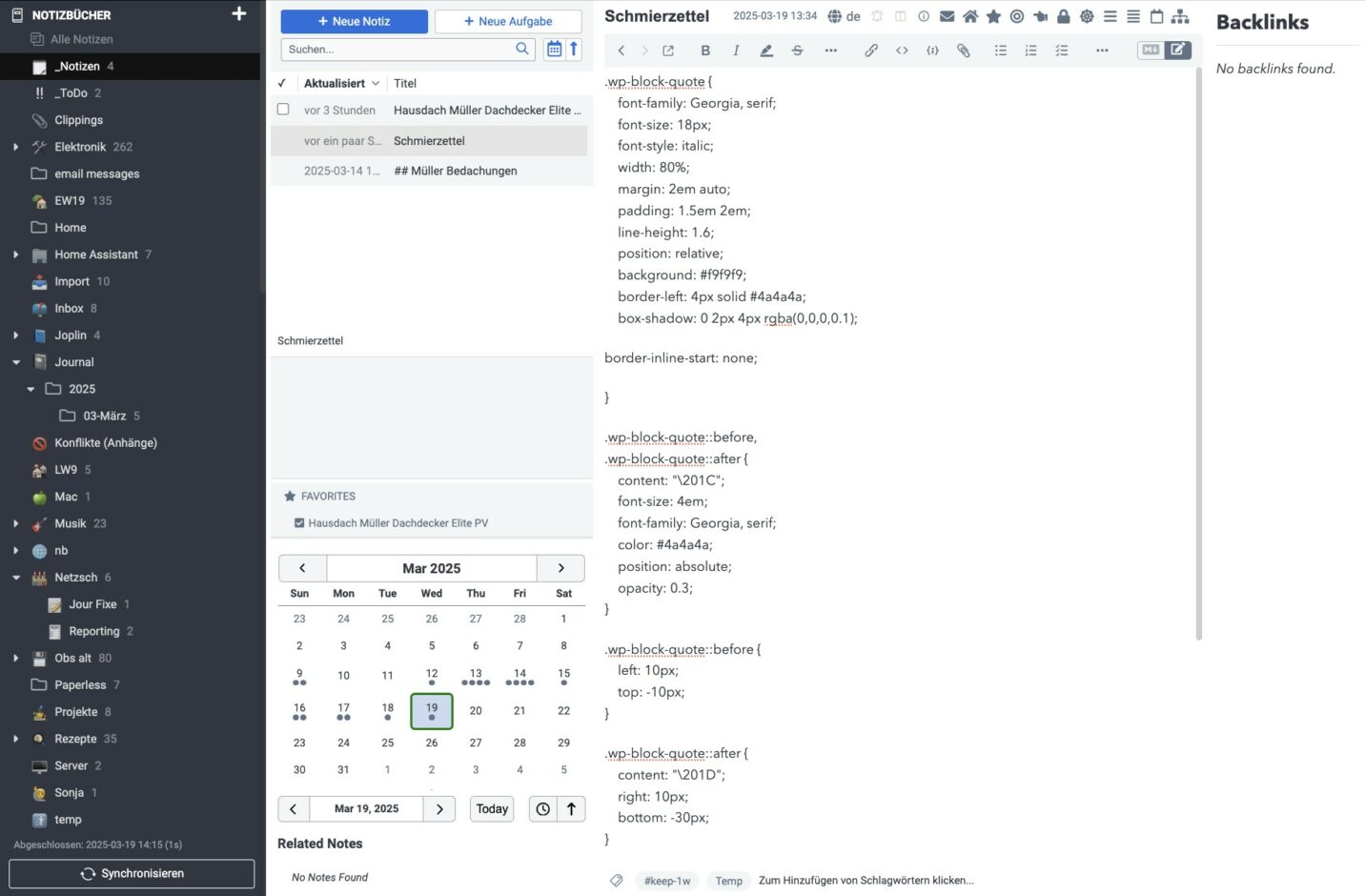
Flexibility in synchronization: Joplin supports various synchronization services, which increases flexibility. I have an Obsidian server running as a Docker container and the synchronization works smoothly across 3 Macs, 2 Windows computers, Android and iOS.
That was one of the main reasons that bothered me about Obsidian. If you only want to synchronize between Apple devices, for example, this works relatively easily via iCloud. Also between Windows and Android, e.g. via Syncthing or Google Drive. However, if you have macOS, Windows, Android and iOS at the start, it becomes difficult. The only option here is the (really very good) paid sync solution from Obsidian. I have no problem paying for a service, but I just want to have my data with me.
The Remotely-Safe plugin from Obsidian only causes problems with multiple devices and can therefore be ruled out as a free sync solution for Obsidian. I tested a free sync solution based on CouchDB, as it is supposed to be very close to Obsidian’s own sync solution. However, I had a lot of synchronization errors
The Open-source advantage
As open-source software, Joplin benefits from an active developer community that is constantly working on improvements. Obsidian, on the other hand, is closed source. If the Obsidian developers decide to discontinue or sell the product, you will have to look for a new tool. Although Obsidian saves all content in Markdown files in the file system, many features that are provided via the many plugins would then no longer be available in the new system. In addition, licenses must be purchased for commercial use if the company has more than two employees.
Of course, Joplin also has some plugins that I use. One of them is the e-mail plugin. This monitors a mail address and/or an IMAP folder on the mail server and imports the corresponding mails directly into Joplin. This was one of the functions that I particularly appreciated in Evernote. You can also send an email with a note to yourself, and the plugin creates a note in Joplin.
The Hotfolder plugin is along the same lines. You define a folder on your computer, which then serves as a collection box. If you place a text file, PDF or image in the folder, for example, these are imported into Joplin as notes. This was also a function that Evernote offered.
Unfortunately, many plugins are no longer being developed and the ecosystem around Joplin is not as large as it is with Obsidian. But as I said, this disadvantage can also be an advantage.
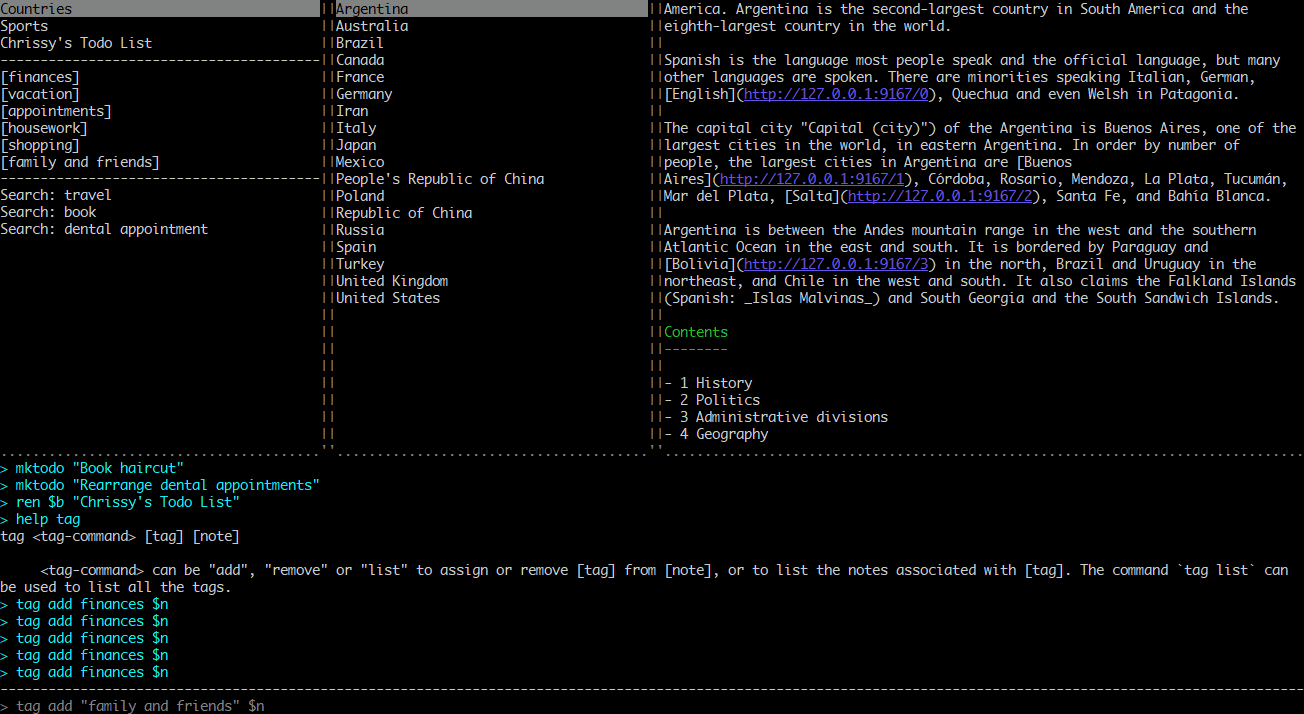
In contrast to Obsidian, Obsidian stores all data in a local database, but you can export all content as Markdown. Since Joplin is also available in a Cli version, you can even automate this. In general, I find the command line option quite charming.
Joplin’s web clipper works very well, and the Joplin Search integration displays suitable content from Joplin alongside a Google search. This is another feature I recognize from Evernote.
The MemoInjo browser extension can be used for quick notes with a fixed target notebook in Joplin.
Conclusion
While Obsidian may be suitable for some users who have the time and enjoy optimizing their systems, Joplin is the more productive choice for most users. It offers a balanced mix of functionality and ease of use without falling into the trap of the productivity paradox.
Or you can choose a combination of different tools, each of which fulfils specific tasks. With Joplin or a suitable combination of tools, you can concentrate on the essentials – capturing and organizing thoughts, instead of endlessly tweaking the note system. The consequence of this is the feeling of never being finished.



Leave a Reply