
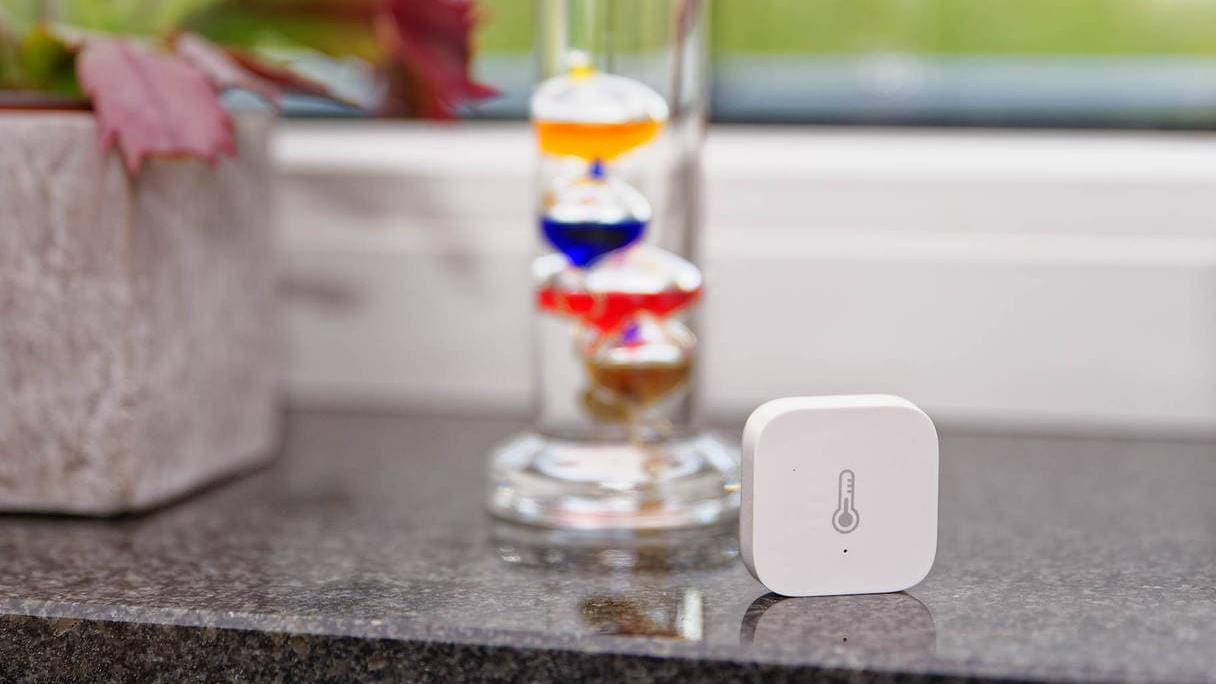
If you measure a lot, you measure a lot of rubbish. At least that’s what a saying from research and technology says. This is also the case with something as simple at first glance as measuring the room temperature. If you want to save heating energy, the measured values that you use for regulation and control must of course also be correct.
Smarthome enthusiasts in particular often focus on the accuracy of a temperature or humidity sensor. It should be accurate to within 0.1 °C and 5 % humidity. With analogue thermometers, it is perhaps possible to distinguish 0.5 degrees, which is perfectly adequate.
Much more important is the position of the thermometer in the room and the correct mounting location. Ideally, this would be at a height of 150 cm, in the centre of the room, without direct heat sources or sunlight in the vicinity and without draughts. This is rather unfavourable for practical use – who wants to put a pole in the middle of the living room?
There is no such thing as “the” room temperature. You can measure a slightly different value at practically any height and at any position in the room.
There are therefore a few rules on how thermometers and hygrometers should be set up or mounted:
- At a height of about 150 cm
- Avoid external walls
- Not near or directly opposite sources of heat or cold such as radiators, fireplaces or windows.
- Energy-intensive appliances such as refrigerators, PCs, televisions, amplifiers, etc. in the immediate vicinity can falsify the measurement.
- Avoid exposure to sunlight
- Sensors in flush-mounted boxes and switches practically always have to be calibrated, as otherwise they could measure the waste heat from the electronics
This ensures that no effects are recorded that have nothing to do with the room temperature.
However, a pleasant room climate not only includes the temperature, but also the humidity and air flow. The latter cannot be measured by conventional means. But humidity can. We perceive a lower temperature with higher humidity as warmer than a higher temperature with lower humidity. Only both values together provide a picture of the perceived temperature. Thermal Comfort Integration for Home Assistant can use temperature and humidity to calculate meaningful values:
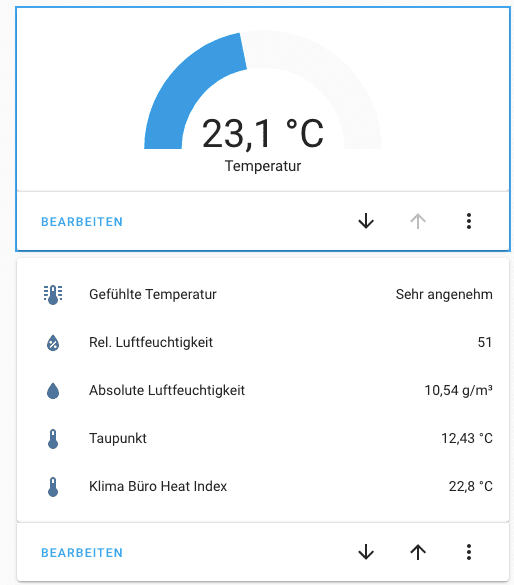
The accuracy of the sensors, on the other hand, plays a rather subordinate role: 2-3 % deviation in temperature is just as acceptable as 10 % measurement inaccuracy in humidity.
If you want to be precise, place several thermometers/sensors in the room and take the average value. Of course, all thermometers must work with similar accuracy. To do this, place them next to each other for a while until the measured values have stabilised and compare the values.
In smart home applications, such as Home Assistant, you can set the deviation as an offset value for individual sensors and automatically calculate average values from several measuring devices.
If, for example, a deviation of 0.8°C is detected between two sensors, the deviation can be included as an offset in a new sensor entity:
 - platform: template
    sensors:
      temperature_living_room:
        friendly_name: "temperature living room"
        value_template: "{{ states('sensor.my_living_room_sensor') | float 0.8}}"
        device_class: temperature
        unit_of_measurement: '°C'Code language: YAML (yaml)
sensor.my_living_room_sensor is the actual value of the sensor. This becomes a new entity temperature_living_room, which returns the measured value corrected upwards by 0.8 °C.
Several sensors calibrated and synchronised in this way can be combined very easily with Home Assistant using min/max integration. This not only outputs the average of all sensors, but also minimum and maximum values.
sensor:
  - platform: min_max
    name: Temp living room average
    entity_ids:
      - sensor.temperature_living_room
      - sensor.temperature_living_room_dining_table
      - sensor.temperature_living_room_couch_cornerCode language: YAML (yaml)
Accurate sensors are important, but using them correctly is even more important.


Leave a Reply